What Is MCP? Connecting Tools to Your AI Assistant
An agreement that lets your AI assistant use your tools directly
MCP lets AI assistants use tools from many services in one common way. How to connect, how it differs from copy-paste, and what to check on security.
In the previous post, we compared an API to a restaurant server. MCP, the star of this post, is an agreement that lets AI use tools from many services in one common way. We said that when we press a button, a server (the API) takes the order and brings back the result. MCP lets AI make that arrangement directly.
Like a universal travel adapter
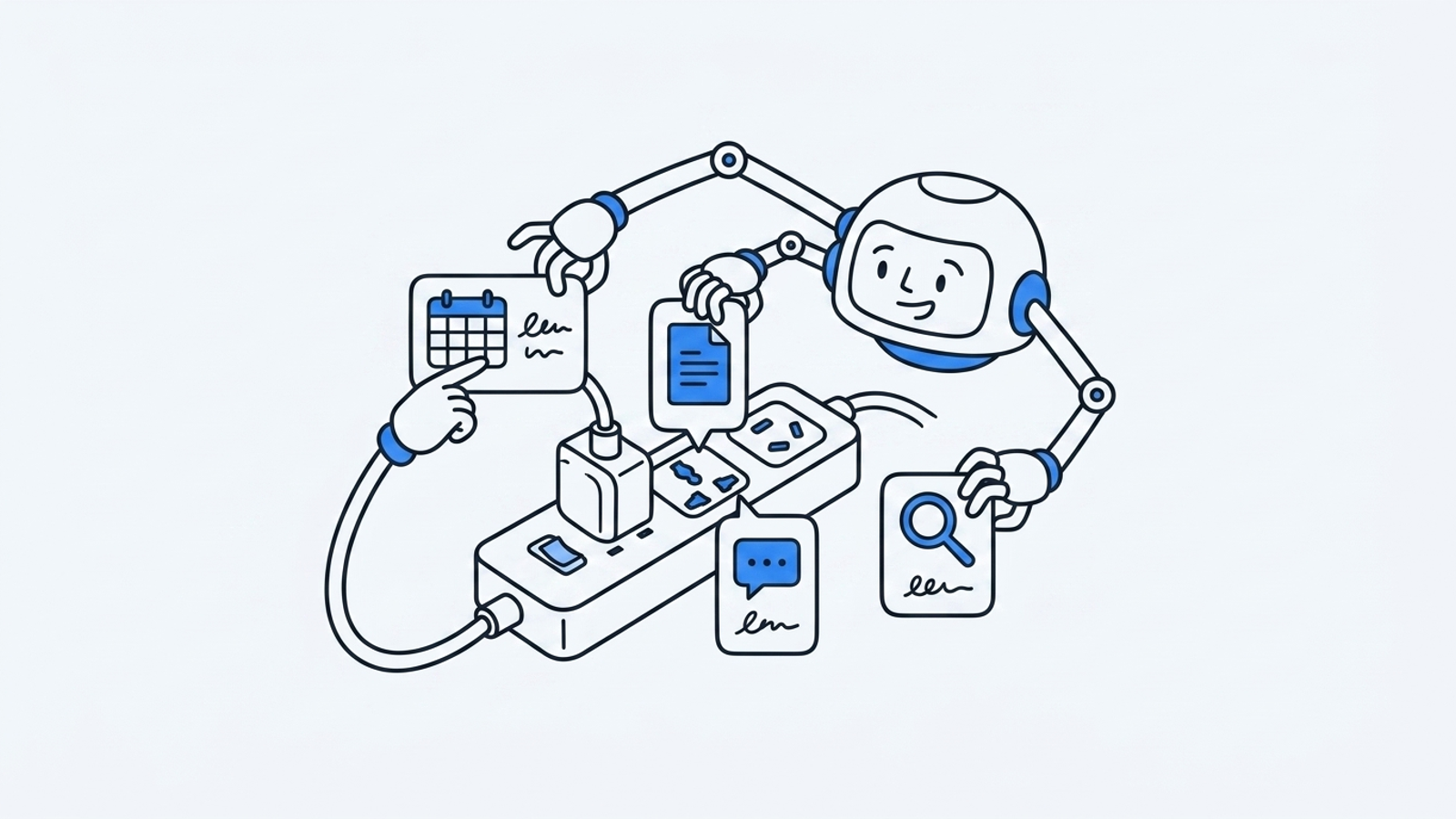
When you travel abroad, outlet shapes differ by country, so you need an adapter. But with one universal adapter, you can just plug in anywhere.
Each service's API (server) looks a little different. From the AI's point of view, it had to learn a different way for every service. MCP is like a universal adapter that sits in between. As long as a service keeps the common agreement called MCP, AI can use it the same way, whatever it is [2].
To put it another way, it's like handing your AI assistant an office access badge and a work manual. With the badge, it can get to the tools it needs; with the manual, it knows what it can do. MCP defines that badge and manual in a standard format.
What changes?
Until now, using AI has usually looked like this: you get writing or ideas from AI, then copy them and paste them into another tool. AI did the talking, and people did the doing.

| Aspect | Copy-and-paste era | MCP era |
|---|---|---|
| Who executes | A person moves the results | AI runs the tools directly |
| Checking progress | A person checks by going back and forth between screens | AI checks for you and lets you know |
| Scope | You have to learn each tool's usage separately | Works anywhere that keeps the common agreement (MCP) |
That's what MCP changes. Now AI runs tools directly. We're moving from an era of moving output around by copy and paste to an era where AI operates tools directly. For reference, MCP is an open standard (an agreement open for anyone to use) released by Anthropic, so it's supported not only by Claude but also by other AI such as ChatGPT and Grok [1].
When you connect Trail Studio to AI
This is something that actually works in Trail Studio today. Connect Trail Studio to an AI like Claude, and you can create content through conversation alone.
For example, you tell Claude:
> "Make a 6-card card news set on this topic."
Then Claude uses Trail Studio's tools directly to start generation, check progress, and bring you the result link when it's done. The four steps from the previous post (request → generation start → progress check → receive the result) are now handled by AI instead of a person.
It's not just card news. Once connected, a whole set of tools opens up for AI to use.

The tools include creating and viewing card news, creating and viewing detail pages, drafting and finalizing article outlines, and creating and viewing slides, and you can also load brand, theme, and template lists. Within the conversation you can ask, "What templates are there?" and then go on to ask it to pick one and make something.
How to start: 3 steps
No need to be intimidated. Three steps, no coding.

- Issue an API key: Issue an API key once in Trail Studio settings (
/settings). The key is shown only once, when it's issued. So write it down somewhere safe. - Connect it to your AI: Use the key to connect Trail Studio to Claude (or ChatGPT or Grok).
- Make requests in conversation: Now just say it, like "Make card news on this topic."
Once connected, the commands you use in conversation are about this simple.
Make a 6-card card news set on this topicWhat you can rest easy about
When you hear "connect," you might worry, "Is my whole account opened up?" It isn't.

- The key you issue works only within your workspace. It isn't used for anything outside your workspace.
- If you no longer want to use it, you can disconnect it anytime in settings. Once disconnected, that key can't do anything.
It's a way to remove one step of the hassle of moving output around by copy and paste. Issue a key once in Trail Studio settings and try handing content work directly to your AI.
> Content generation runs on credits. Try Trail Studio right now
For related reading, see What is an API? Sync and async explained with a restaurant analogy, What is harness engineering? Why the same LLM gives different results, and What is first-party data? How to use it in marketing after third-party cookies.
Frequently asked questions
Is MCP only for Claude?
No. MCP is an open standard released by Anthropic, so it's supported not only by Claude but also by other AI such as ChatGPT and Grok.
Isn't it risky if my API key leaks?
The key you issue works only within your workspace and can't reach other workspaces. If you no longer want to use it, you can disconnect it anytime in settings, and once disconnected, that key can't do anything.
Can I connect Trail Studio to AI without knowing how to code?
Yes. Issue an API key → connect it to your AI → make requests in conversation: three steps, no coding.
References
Summary
- MCP is an agreement that lets AI use tools from many services in one common way. Think of it as a universal travel adapter.
- We're moving from an era of moving results by copy and paste to an era where AI runs tools directly.
- Connect Trail Studio to an AI like Claude, and you can generate card news, detail pages, articles, and slides through conversation alone.
- Connecting takes three steps: issue an API key → connect it to your AI → make requests in conversation. You can disconnect anytime in settings.
Why TRAIL Labs works this way
How a researcher-founder grounds measurement and recommendations, and how the three products relate to the company, is laid out on the about page, and how we work day to day is written up separately.
More posts
TRAIL Labs joins the Google for Startups Cloud Program
TRAIL Labs has joined the Google for Startups Cloud Program, gaining cloud credits and support to run our AI-search measurement and content engine at scale.
TRAIL Labs has joined the NVIDIA Inception program
TRAIL Labs has joined the NVIDIA Inception program, gaining compute, technical resources, and a network to grow our AI-search measurement and content engine.
Is AI search visibility enough? Why we changed our question
AI search visibility is countable, but more of it doesn't mean your accurate information reached the answer. What measurement and three papers taught us.
Keep reading on this topic
- Defending Against RAG Hallucinations: Types and LimitsRAG retrieves outside documents to ground answers, yet hallucinations still arise in retrieval and generation. Types, defenses, and limits of automated checks.
- Design principles for a GEO data AI agentDesign principles for a GEO data AI agent: text parsing vs. structured tool calls, blocking irreversible actions, and why skipping evals is risky.
- Open-Weight vs. API Models: Own a Domain Model with HermesOwn the model instead of renting it: why open weights, open vs. API models, Nous Research Hermes 4.3, its function-calling standard, and the data flywheel.
This post is part of the TRAIL Labs category, which collects all 19 posts on the topic. See all posts in TRAIL Labs