Track ChatGPT traffic with GA4's AI Assistant channel
Clicks are easier to see now, but that isn't the end of AI search measurement
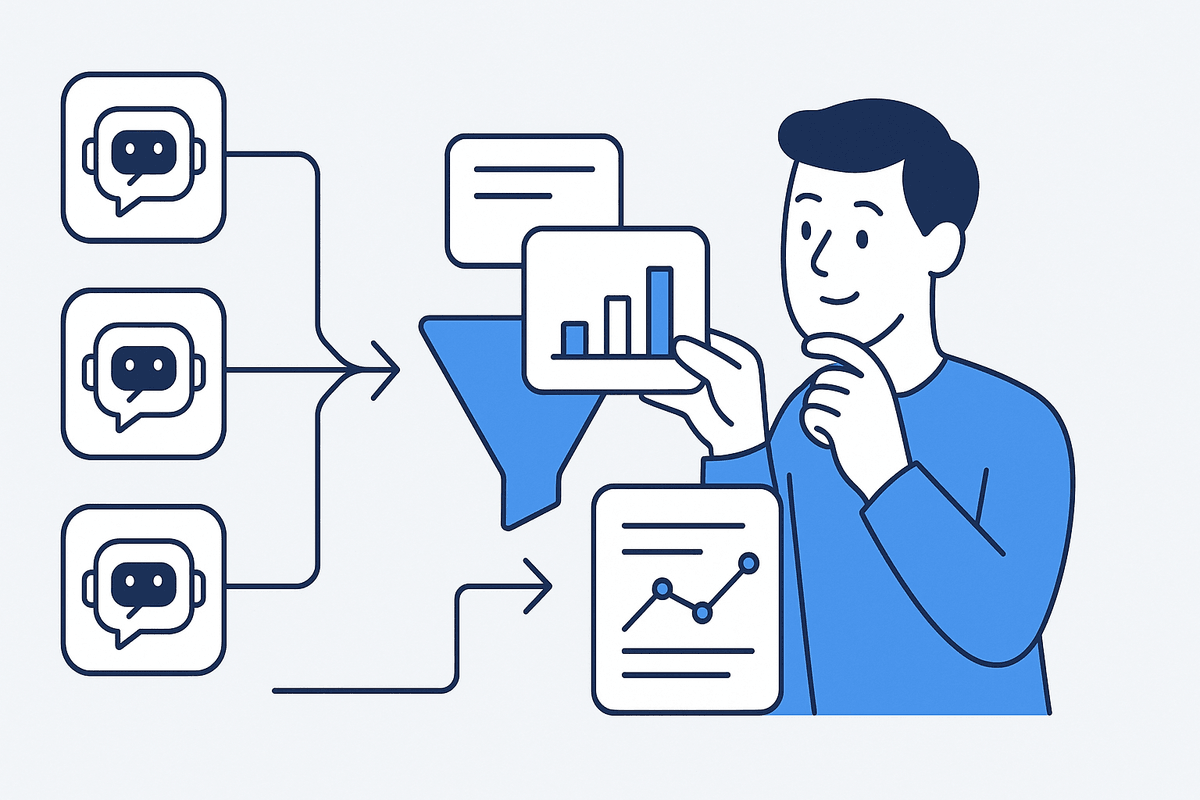
What GA4's AI Assistant channel shows and what it doesn't: finding ChatGPT traffic, where AI Overviews traffic lands, and five layers of AI search measurement. An AI Assistant channel was added to the GA4 Default Channel Group, so click traffic from ChatGPT, Gemini, and others is classified automatically [1].
GA4's new AI Assistant channel automatically classifies click traffic that reaches your site through AI assistants like ChatGPT and Gemini, but this channel alone still can't show how visible your brand was or how often it was cited inside AI answers. It's clearly a welcome update. Until now, AI search traffic got mixed into Referral or Organic Search, or teams had to build their own custom channel groups and classify it with regex. But the moment you take one more step and say "now we can see all our AI search performance," you're overstating it.
What changed in GA4
Google Analytics added a new AI Assistant channel to its Default Channel Group definition. Traffic from sources such as ChatGPT, Gemini, Copilot, and Grok is automatically assigned to this channel [1].
| Aspect | Before | Now |
|---|---|---|
| Channel classification | Mixed into Referral or Organic Search, or required a custom channel group | AI Assistant channel created automatically in the Default Channel Group |
| Medium | Required separate regex rules | Set to ai-assistant automatically when the referrer is recognized |
| Analysis effort | Manual setup per team, inconsistent criteria | Visible right away in standard reports |
For teams that ran custom channel groups with hand-built regex rules, much of that work has now moved into the default classification. It genuinely helps with the problem of "we think we're getting AI traffic, but we don't know where it's mixed in."
Why this change matters now
The most common confusion in AI search performance reports starts with using "was visible" and "was clicked" interchangeably. Even if your brand is mentioned in a ChatGPT answer, the user may not click right away; on the other hand, if they click a link inside an AI assistant, it's recorded in GA4 as a session. Both matter, but they aren't the same metric.
This GA4 update is about the latter: it separates click traffic better. Thanks to that, marketing teams can answer the following questions a bit faster.
- Are real sessions coming in from AI assistants?
- How large is that compared with Organic Search and Referral?
- Is AI Assistant traffic contributing to conversions?
What GA4 alone still can't show
Having an AI Assistant channel doesn't mean you can see the full impact of AI search. In particular, the default GA4 channel doesn't solve the following.
- Whether your brand was mentioned inside the AI answer
- Whether your site was cited as a source in the answer
- Whether competitors were mentioned alongside you, and in what context you were compared
- Whether users who saw the answer later came in through a branded search or a direct visit
There's one more thing to be especially careful about. GA4's Default Channel Group documentation explicitly excludes Google AI Overviews and AI Mode from its description of AI Assistants [1]. In other words, don't describe traffic from AI assistants like ChatGPT, the Gemini app, and Copilot as the same channel as AI Overviews and AI Mode, which operate inside Google Search.
| Category | Reporting view | Watch out for |
|---|---|---|
| AI Assistants | Click traffic that reaches your site from ChatGPT, Gemini, Copilot, and others | Can be separated in GA4 as the AI Assistant channel |
| Google AI Overviews / AI Mode | AI search experience inside Google Search [2] | Not included in the AI Assistants channel |
| Visibility in AI answers | Brand mentions, citations, and competitor presence inside answers | Hard to confirm with GA4 session data alone |
Breaking AI search measurement into five layers
Rather than reducing AI search performance to a single number, it's safer to break it into these five layers.
| Layer | What it looks at | Key question |
|---|---|---|
| Visibility | Does your brand or content appear in AI answers? | For which questions does it appear? |
| Mention | In what context is it mentioned? | Closer to a recommendation, a comparison, or an alternative? |
| Citation | Which URLs are cited as evidence? | Is your site used as a source? |
| Click | Does real traffic reach your site? | Do AI Assistant sessions show up in GA4? |
| Conversion | Does it lead to inquiries, purchases, or sign-ups? | Which paths contribute to conversion? |
This GA4 update makes the Click layer easier to see. It's meaningful progress, but it doesn't replace Visibility and Citation. The Citation layer connects directly to GEO content structure, since it grows stronger the clearer your content's citations, evidence, and sources are [3].
What to check first in GA4
- Check whether the
AI Assistantchannel actually appears in the Traffic acquisition report. - Compare it with your existing Referral, Organic Search, and Direct. When traffic is reclassified into the new channel, the shape of the surrounding channels can change too.
- If you were already using a custom channel group, compare how its results differ from the default channel, and run both in parallel instead of deleting it right away.
- Even if AI Assistant sessions are small, check engagement and conversion as supporting metrics.
Phrasing your content team should fix right away
In internal reports and external content, it's safer to refine the following phrasing.
| Risky phrasing | Safer phrasing |
|---|---|
| We can now see all our AI search performance in GA4 | GA4 can now better separate some of the click traffic from AI assistants |
| Just look at AI Overviews in the AI Assistant channel too | Per GA4 documentation, AI Overviews and AI Mode are excluded from AI Assistants [1] |
| We have no AI Assistant sessions, so AI search has no impact | It may mean there's no click traffic, but you can't conclude there's no visibility or downstream impact |
Treat it as a supporting metric in conversion reports
AI Assistant sessions can become a performance metric, but early on the volume may be small or the attribution paths complex. So it's safer to treat them as a supporting metric than to over-interpret them as a single core KPI. For example, "we have AI Assistant sessions" means click traffic was confirmed, and "we have AI Assistant conversions" means some of that traffic actually converted. Conversely, "we have no AI Assistant sessions" doesn't mean "we have no visibility in AI answers." If Direct traffic or branded searches increased, that could be a downstream effect of AI answers, but you can't conclude that from GA4 data alone.
A practical checklist
After checking the GA4 update, we recommend organizing your report around the following items.
- Is the
AI Assistantchannel actually being captured in Traffic acquisition? - Are the
medium=ai-assistantandcampaign=(ai-assistant)values showing up? - Which sources come in as AI assistant traffic?
- Has anything changed compared with your existing Referral, Organic Search, and Direct?
- Do AI Assistant sessions have engagement, conversions, or revenue?
- Even without AI Assistant sessions, are you separately observing whether your brand is mentioned in AI answers?
- Do your internal reports keep click traffic and answer visibility separate?
Just running through this checklist once noticeably improves report quality. For decision-makers especially, reporting "which layer grew" earns far more trust than "AI search performance grew."
Common mistakes
- Trying to explain all of AI search with one channel: if you look only at the Click layer and conclude "AI search performance grew," your report is only half the picture.
- Mixing AI Overviews and AI Assistant into one metric: the two have fundamentally different reporting views.
- Over-interpreting small samples: on sites with few sessions, just a handful can make percentage changes look large. Look at actual session and conversion counts, not just ratios.
GA4's AI Assistant channel is clearly a good sign. What's needed now is to place this click data inside a full measurement structure that runs through visibility in AI answers, citations, and conversions. To see which prompts your brand appears for inside answers, and in what context, you also need separate AI visibility observation such as TRAIL Search.
You can continue with How to monitor AI search citations with prompt tracking: how it differs from keyword rank tracking, How to design AI search visibility experiments: setting a baseline, measurement cycles, and one variable at a time, and What is query fan-out? Observing firsthand how AI splits one question into several searches.
Frequently asked questions
Now that GA4 has an AI Assistant channel, can I see all my AI search performance?
No. The GA4 AI Assistant channel automatically separates out some of the click traffic that reaches your site from AI assistants like ChatGPT and Gemini. But this channel alone can't tell you whether your brand was mentioned inside AI answers, which sources were cited, or whether you were compared with competitors.
Do Google AI Overviews show up in the AI Assistant channel too?
No. GA4's Default Channel Group documentation explicitly excludes Google AI Overviews and AI Mode from its description of AI Assistants [1]. Treat them as a different channel and a different thing to observe.
If I have zero AI Assistant sessions, does that mean I'm not visible in AI search at all?
You can't conclude that. Having no click traffic and not being mentioned in AI answers are different things. A user may have read the AI answer without clicking and later searched your brand name directly or visited your site directly.
References
Summary
- An AI Assistant channel was added to the GA4 Default Channel Group, so click traffic from ChatGPT, Gemini, and others is classified automatically [1].
- Google AI Overviews and AI Mode are explicitly excluded from the AI Assistant channel and are a separate thing to observe.
- AI search performance should be broken into five layers: Visibility, Mention, Citation, Click, and Conversion.
- GA4's new channel strengthens the Click layer; it doesn't replace Visibility or Citation.
Check this topic against your own brand
TRAIL Search measures how ChatGPT and Perplexity answer your customers' questions and finds and fixes where the brand is missing, turning this post into a diagnosis. Start with 10 questions, no card required.
More posts
Getting cited when Google AI Mode builds the answer
In November 2025 Google put Gemini 3 in AI Mode to build custom layouts and tools per query while keeping links to web sources. Here is what gets cited.
How is AI answer visibility defined and measured?
How is AI answer visibility defined and measured? Three metrics with formulas and paper figures: visibility (GEO), contribution (Shapley), and stability.
The prompt you track is not the query AI actually searched
AI visibility reports score each tracked prompt, but retrieval and citation happen on fan-out sub-queries. What year and English injection mean for measurement.
Keep reading on this topic
- Which content types AI cites, by search intentThe content type AI search cites flips with intent: articles lead informational prompts (45.5%), listicles lead commercial ones (40.9%).
- How are retrieval and citation different in AI search?Retrieval and citation are different stages in AI search. Does ChatGPT cite YouTube? Why our content is missing from AI answers, and what zero citations mean.
- The LLMO trap: training data vs. AI answer citationsSeeding your brand in LLM training data and getting cited in AI answers are different mechanisms. How they differ, what you can measure, and why advice splits.
This post is part of the Analysis category, which collects all 35 posts on the topic. See all posts in Analysis